``` https://api.freshchat.com/v2/users/ ````
I am using freshchat’s free account. (https://jhjhvj.myfreshworks.com/).
All api calls are giving token not found error. I have given authorization Bearer token from Postman and set my API key as the token. Please help…
Hi @Darshil_Patel ,
Welcome to Freshworks Developer Community and wish you a happy new year 

Could you please share the request details or postman collection showing how are you accessing the method to take a closer look?
Regards,
Thakur
@Darshil_Patel
Good Day!
There are multiple ways to use Freshchat API
https://api.freshchat.com/v2/users/ → you can use this API if you know the region,
i.e api.region.freshchat.com (refer to these for more reference) 
Freshchat API Token not working 400 error
Domain to be whitelisted for Freshworks products APIs - #5 by Raviraj
if you know the standalone Domain name of Freshchat
I think you need to use xxx.freshchat.com/v2/agents
if you are using inside Freshsales & Freshsales Suite domains.
use
https://*.freshworks.com/crm/messaging/v2/agents
(or)
https://*.myfreshworks.com/crm/messaging/v2/agents
Hope it helps 
Thanks
@Santhosh @Thakur_Ganeshsingh mine is freshchat’s trial account. The url has myfreshworks
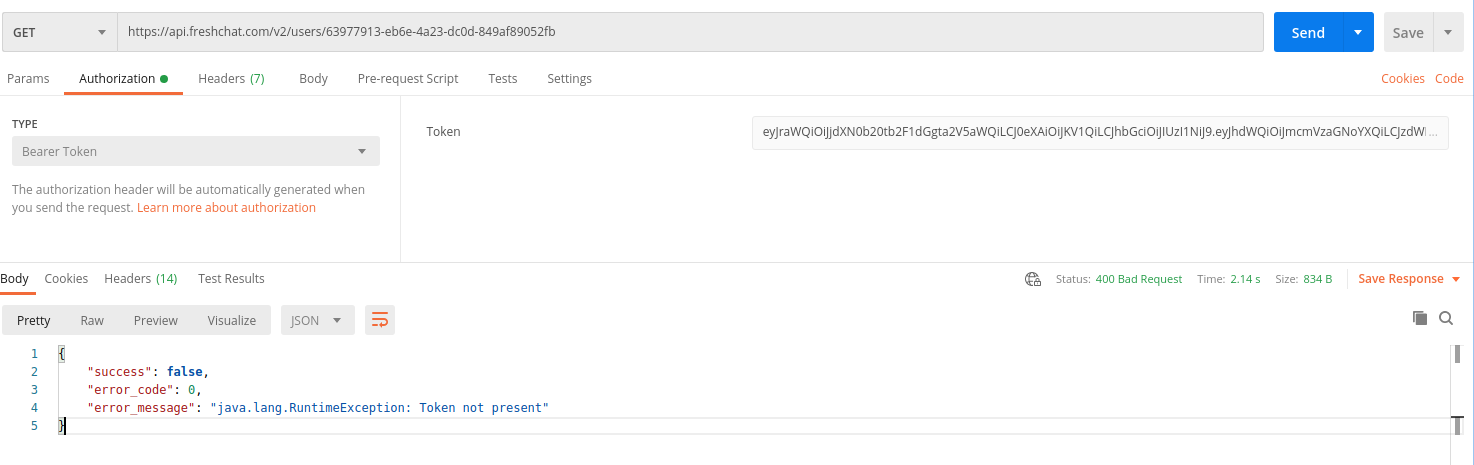
in it. So which url should I hit for API.
Try one by one and find the right base URL
api.freshchat.com - US
api.eu.freshchat.com - EU
api.in.freshchat.com - IN
api.au.freshchat.com - AU
All of them giving same error
Hi @Darshil_Patel ,
Could you please try using API Key as shown below
curl --location 'https://<domain>/crm/sales/api/contacts/26002993564' \
--header 'Authorization: Token token=<your_api_key>'
Regards,
Thakur