PUT method not allowed when calling Update Ticket API (Error 405)

Hi everyone,

I’m currently facing an issue with the Update Ticket API in Freshdesk.
When I try to update a ticket using the PUT method (as shown in the official documentation), I get the following error response:

{
  "code": 405,
  "message": "PUT method is not allowed. It should be one of these method(s): GET, POST"
}

What I’ve tried

  • Using cURL directly (as per the docs)
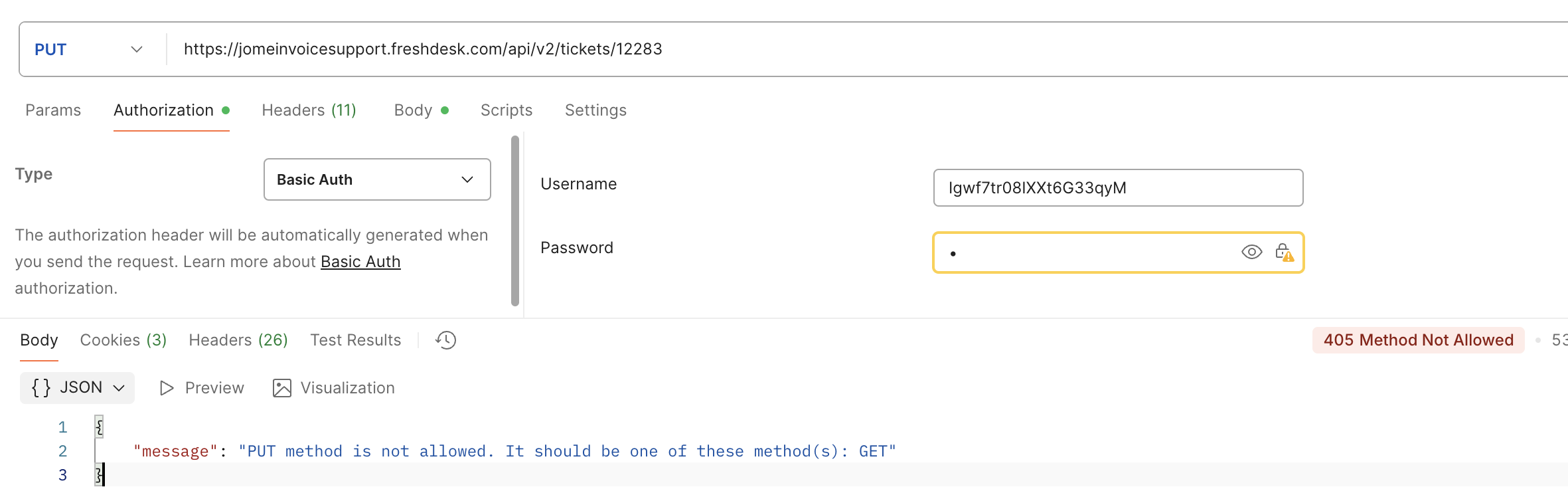
  • Using Postman
  • Using n8n (HTTP Request node)
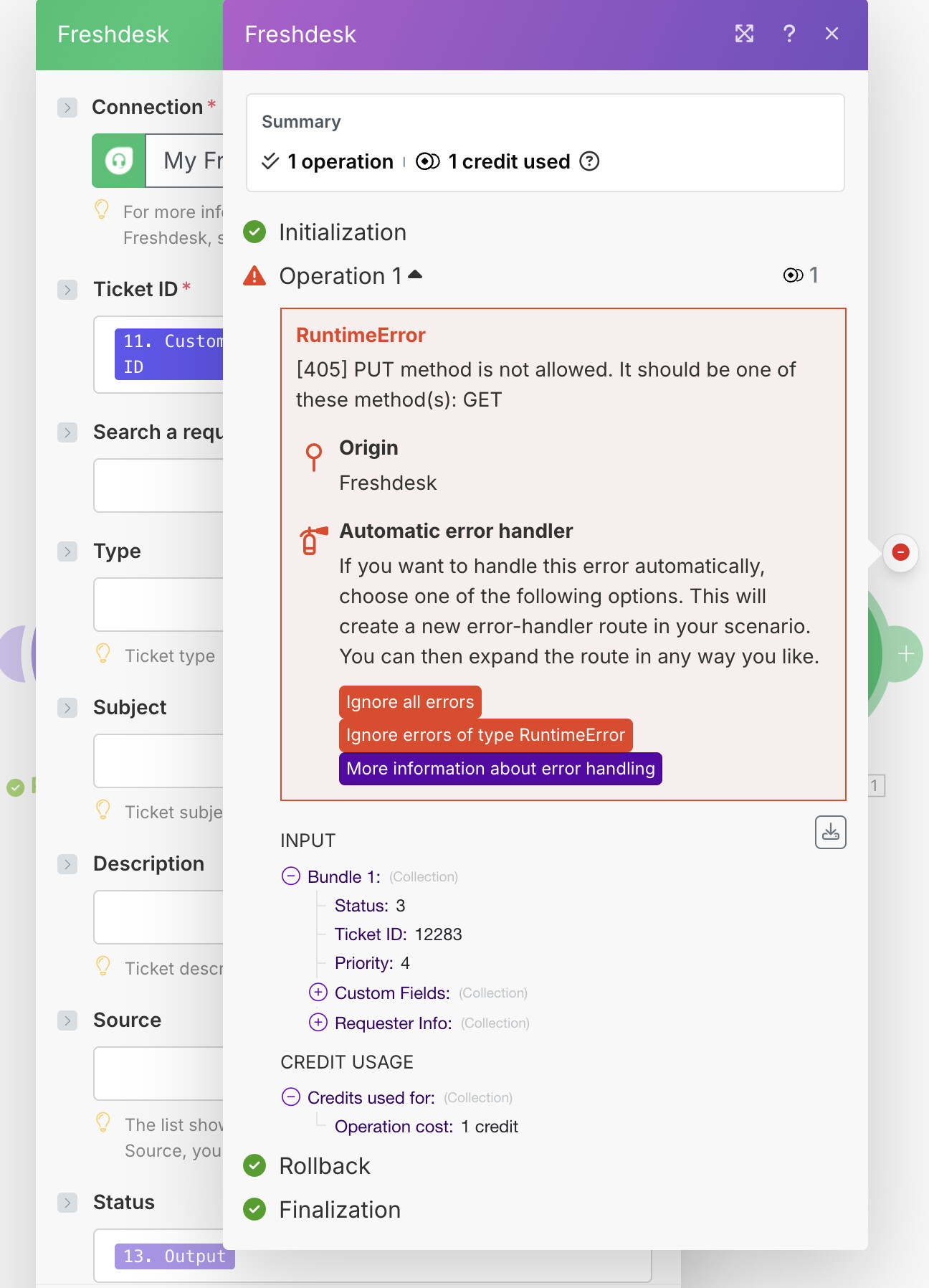
  • Using Make.com (HTTP module)

All of them return the same 405 Method Not Allowed error.

cURL and Screenshots

cURL:

  • curl -v -u <myapikey>:X -H "Content-Type: application/json" -X PUT -d '{ "priority":2, "status":3, "lookup_parameter" : "primary_field_value", "custom_fields" : { "cf_order_number_1" : "98765" } }' 'https://jomeinvoicesupport.freshdesk.com/api/v2/tickets/12283'
  • Response:
    • * upload completely sent off: 125 bytes < HTTP/2 405 < date: Tue, 21 Oct 2025 05:16:59 GMT < content-type: application/json; charset=utf-8 < cf-ray: 991e49316e1da8c0-SIN < status: 405 Method Not Allowed

Postman:

make.com:

What I expected

The ticket should update successfully, as stated in the Freshdesk API documentation.

What actually happens

The API responds with a 405 error, suggesting that PUT is not allowed and only GET or POST are supported.


Has anyone else encountered this issue recently?

Is there a change in how the Update Ticket API works (for example, does it now require POST instead of PUT)?

Any guidance or confirmation from the Freshdesk team would be really appreciated. :folded_hands:

I am having the same problem. Did you figure out the problem?

Hey @Wei_Qi! :waving_hand:

Thanks for the detailed report with screenshots - this really helps! I can see you’re
getting a 405 error when trying to use PUT to update a ticket.

What’s happening:

The error message "PUT method is not allowed. It should be one of these method(s): GET, POST" suggests that your Freshdesk instance or API configuration might have
restrictions on the PUT method.

Things to check:

  1. API Key Permissions - Verify your API key has full access permissions. Some
    restricted API keys may not allow PUT operations.

  2. Account Settings - Check if there are any API restrictions enabled in your
    Freshdesk account settings (Admin → Security → API Settings).

  3. Firewall/Proxy - If you’re behind a corporate firewall or proxy, it might be
    blocking PUT requests. Try testing from a different network.

  4. Endpoint Verification - Double-check the endpoint URL is exactly: https:// yourdomain.freshdesk.com/api/v2/tickets/[id]

Alternative approach:

If PUT continues to fail, you can try using the POST method with the same endpoint -
some API implementations accept both PUT and POST for updates:
curl -v -u <myapikey>:X -H "Content-Type: application/json" \
-X POST \
-d '{ "priority":2, "status":3, "custom_fields" : { "cf_order_number_1" : "98765" } }' \
'https://jomeinvoicesupport.freshdesk.com/api/v2/tickets/12283'

@gerdusvz - if you’re seeing the same issue, the steps above should help you too!

Let us know how it goes! :rocket: