Context:
I am developing a Freshservice app that runs inside the ticket sidebar.
As part of the app, we display a link that allows agents to ( Teamviewer ) join a session via an browser, the URL should open normally in a new browser tab.
Code:
Line number : 238
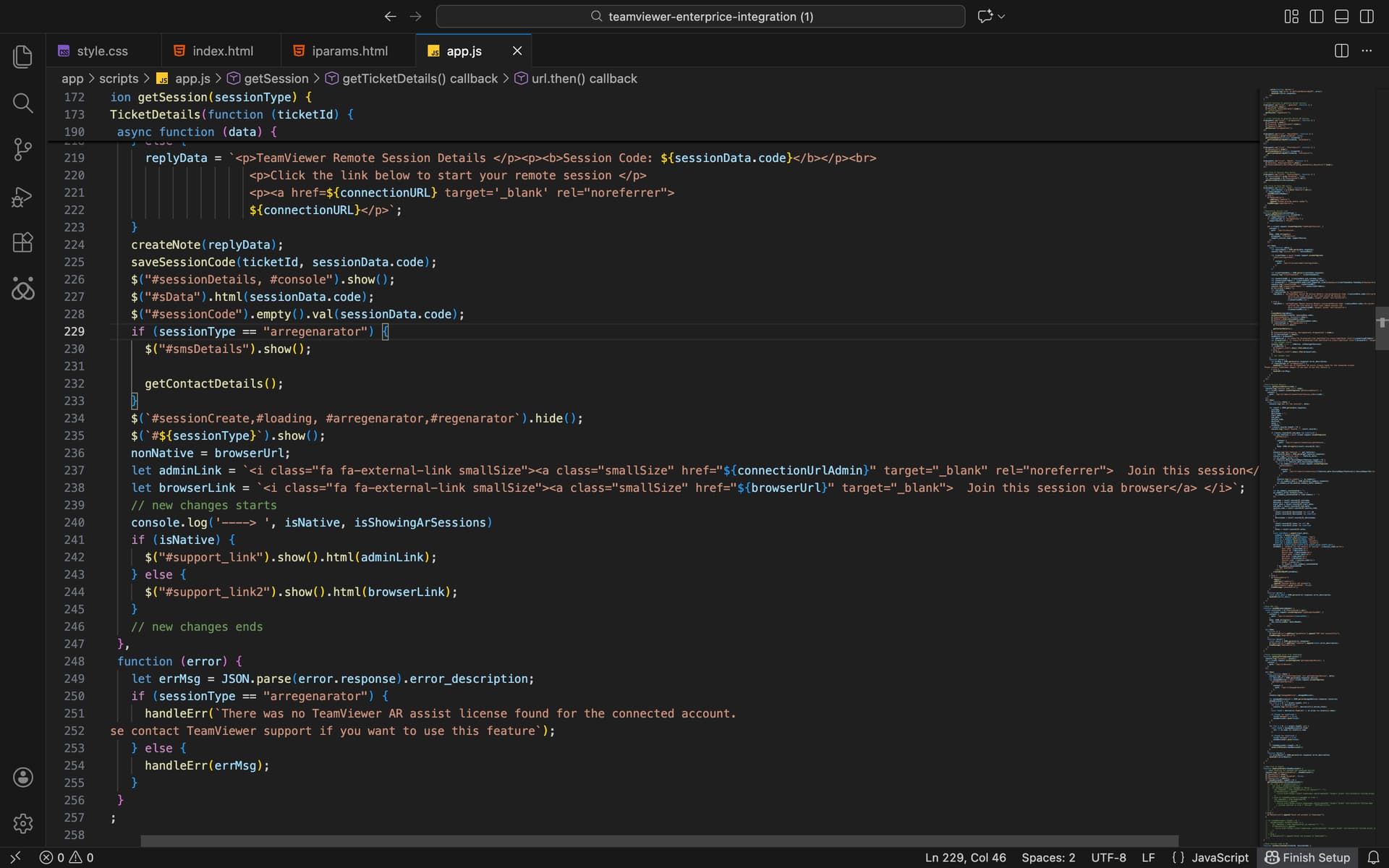
Issue:
- A new browser tab is opened.
- However, the page does not load and appears to be blocked.
- No content is rendered in the new tab.
- If i copy the link from the new tab and paste in an other tab it works, it is not working when a new tab is opened from ticket sidebar.
What i tried?
- Adding rel=“noopener” and rel=“noreferrer” to the anchor tag.
- Adding “allow-popups-to-escape-sandbox“ attribute to the anchor tag.
- Attaching a click event listener and programmatically opening the URL using window.open(url, ‘_blank’)
My question:
-
Could you help me understand why redirecting the link in new tab is not working?
-
Is there a supported way for a Freshservice custom app (running in the ticket sidebar) to open an external URL in a browser without being blocked?